


The small file problem is one of the most common performance bottlenecks in Spark workloads. It’s deceptively simple: too many tiny files slow down your reads. But the implications run deep, affecting batch pipelines, streaming workloads, and ultimately user-facing query performance.
This article dives into what the small file problem is, why it happens, and how to solve it; with strategies that can deliver up to 100x faster reads especially for streaming jobs.
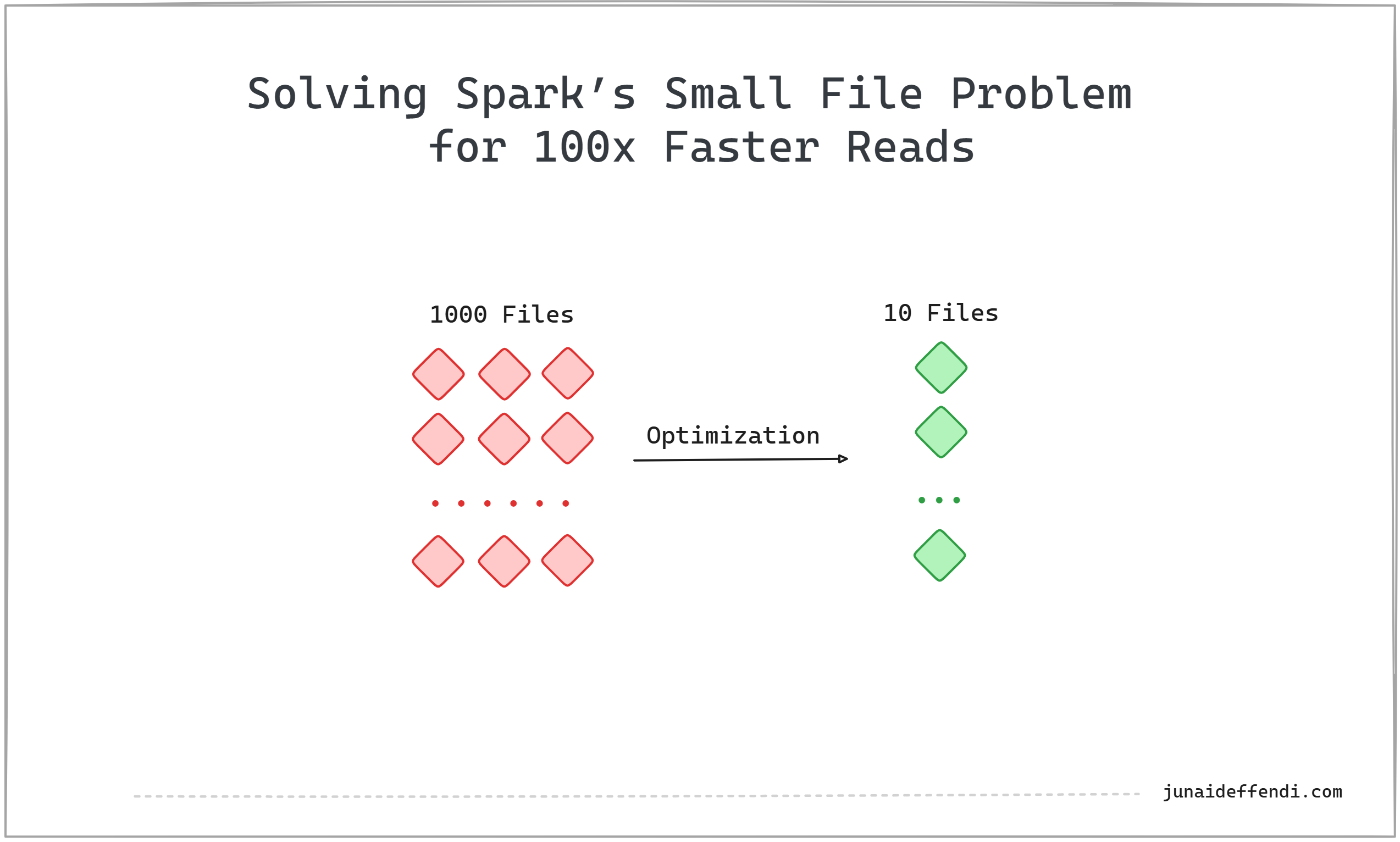
💡1000 files → compacted to 10 files will give 100x faster reads.
What Is the Small File Problem?
When Spark writes data, it does so in parallel. Each task typically outputs one file. With high parallelism (e.g., 100 tasks), you often end up with hundreds of small files rather than fewer large ones.
These small files make writes fast (parallelized, no need to coordinate much), but reads slow, because:
Spark has to open and scan thousands of files.
Each file triggers task scheduling overhead.
Metadata operations dominate actual data scanning.
Why It Hurts Read and Write Performance
Writes: Small files are easy to generate, but repartitioning to reduce them adds shuffle cost.
Reads: File explosion causes Spark to spend more time on metadata + scheduling than actual compute
💡 Reads happen more often than writes, just like code is read far more often than it is written.
Impact on Batch and Streaming Jobs
Batch workloads: Small files accumulate, degrading performance of downstream queries and compaction jobs.
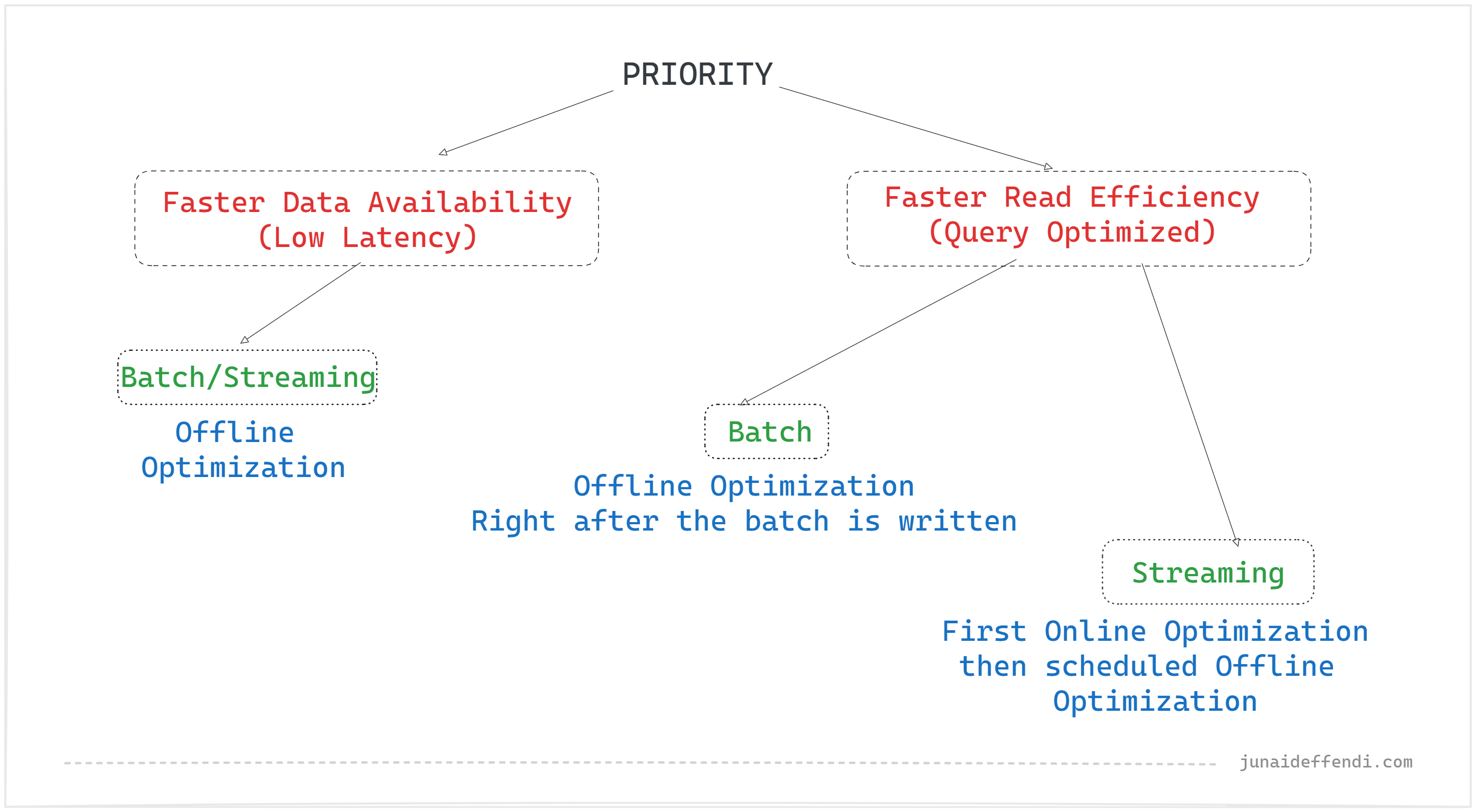
Streaming workloads: Streaming prioritizes low-latency writes, which naturally produce small files. If compaction is forced inline, it adds latency; often unacceptable for SLA-driven pipelines.
Traditional Solutions in Spark
Before open table formats, the common fix was to repartition/coalesce before write or reduce the number of cores/tasks when starting the job.
Before Write:
df.repartition(10).write.format("parquet").save("...")
OR
df.coalesce(10).write.format("parquet").save("...")
Setting Cores at Spark Job (Gives 10 in total tasks):
spark.executor.cores 2
spark.executor.instances 5
Repartition triggers a full shuffle (expensive).
Coalesce reduces files but can cause data skew.
With
Ncores, you typically getNoutput files (10 cores = 10 files).
In all the above scenarios, we set the file count to 10, which requires you to manually determine the right number; unlike in open table format solutions.
Open Table Format Solutions
Modern table formats provide smarter, managed ways to handle small files. Since open table formats support versioning, they can perform these optimizations efficiently and smartly without disrupting the user experience.
Offline Optimization (Table & Partition Level)
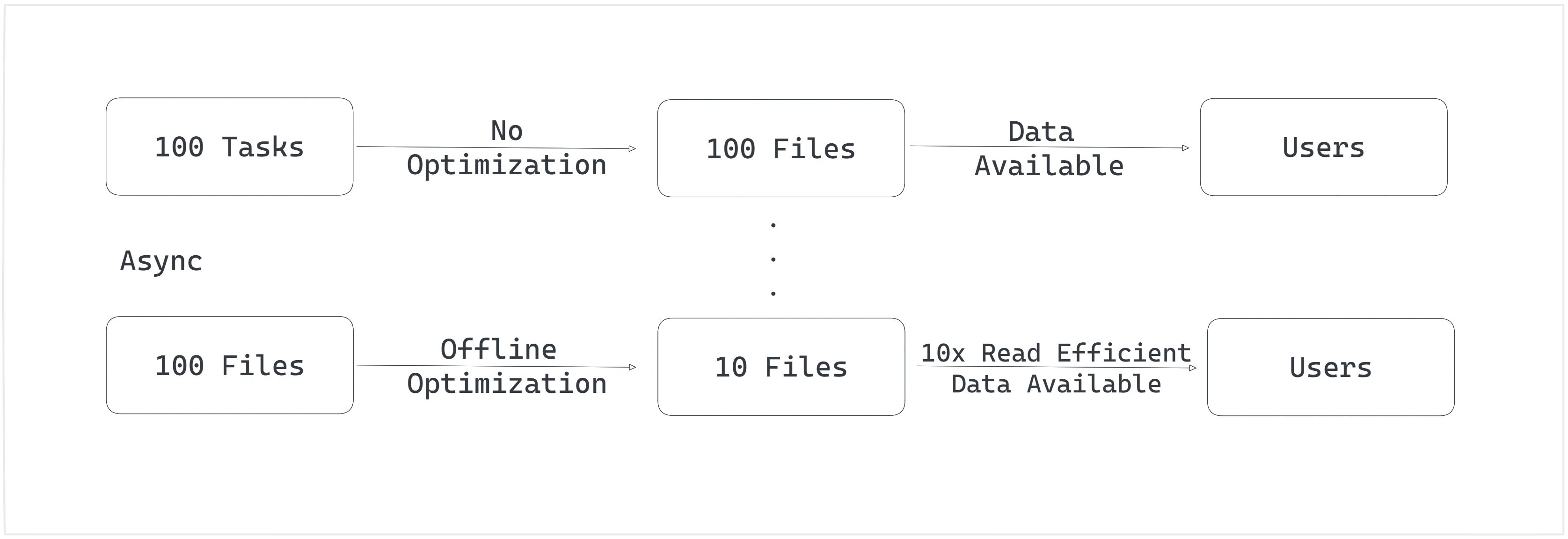
This feature is commonly known as compaction which periodically merges many small files into fewer large ones per table or partition.
This is asynchronous process and conceptually similar to
coalesce; fewer output files but efficient. It makes data available asap but makes it read efficient later.Example: Merge 100 files into 10 larger ones. Number of files depend on the file size which can be configured through spark config if needed.
Still requires scanning files, so the more small files you start with, the more expensive compaction becomes.
Great for batch data where compaction can run right after the job is done.
Online Optimization (Task Level)
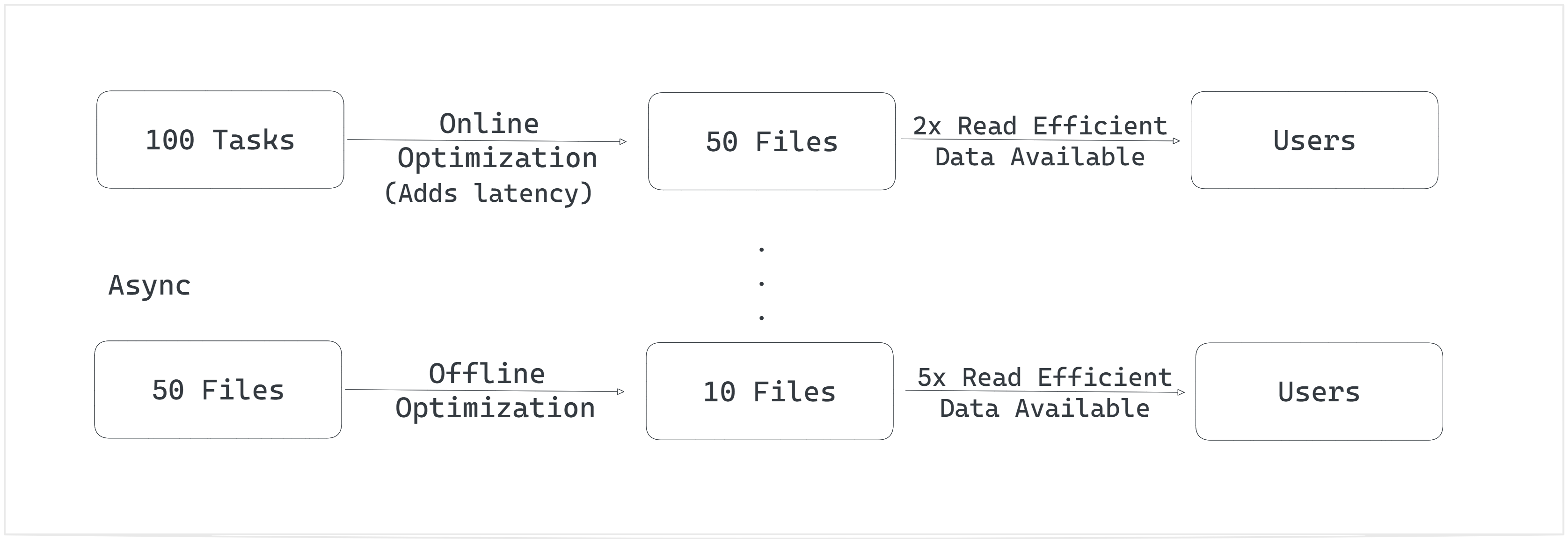
Instead of blindly writing one file per task, Spark can group writes more intelligently before write. Delta calls it optimized write.
This is synchronous process and conceptually similar to
coalesce; fewer output files but efficient. It adds latency but once data is available its read efficient.Example: Instead of 100 small files, Spark writes 50 medium-sized files.
Makes later compaction faster, since it only needs to process 50 files instead of 100.
Streaming jobs that writes small files can take advantages of this along with compaction when the SLA permits.
Decision Flow
Conclusion
The small file problem is a silent killer of Spark performance. While small files make writes faster, they heavily penalize reads. Open table formats like Delta, Iceberg, and Hudi provide optimization features that strike the right balance. Solving this problem can unlock up to a 100x boost in read performance, crucial for truly scalable Lakehouse analytics.
The tradeoff between online and offline optimization is really interesting, especially for streaming workloads where you basically have to pick between latency and read performance. The decision flow diagram nails it though, batch jobs can just run compaction right after and get the best of both worlds. Have you seen cases where optimized writes still cause SLA issues even with modest data volumes?